Context
Strapi is a tool that lets you create an API very easily, whether REST or GraphQL.
It’s a French solution, it’s open source, and there are a lot of options, possible plugins, etc…
To manage everything, you get access to an admin interface.
Problem
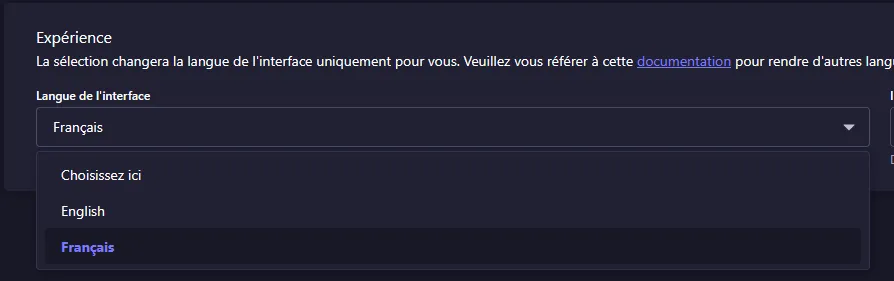
By default, the admin interface is in English. When you want to change the language in your user profile, only English is available by default too.
Solution
In the Strapi files, in “src/admin”, there’s an app.example.jsx or app.example.tsx file depending on what you chose.
You need to rename this file by removing the “example”. It then becomes app.jsx or app.tsx depending on your choices.
In this file, several languages are commented out. If you want different languages, including French, just uncomment them.
import type { StrapiApp } from '@strapi/strapi/admin';

export default {
  config: {
    locales: [
      // 'ar',
      'fr',
      // 'cs',
      // 'de',
      // 'dk',
      // 'es',
      // 'he',
      // 'id',
      // 'it',
      // 'ja',
      // 'ko',
      // 'ms',
      // 'nl',
      // 'no',
      // 'pl',
      // 'pt-BR',
      // 'pt',
      // 'ru',
      // 'sk',
      // 'sv',
      // 'th',
      // 'tr',
      // 'uk',
      // 'vi',
      // 'zh-Hans',
      // 'zh',
    ],
  },
  bootstrap(app: StrapiApp) {
    console.log(app);
  },
};
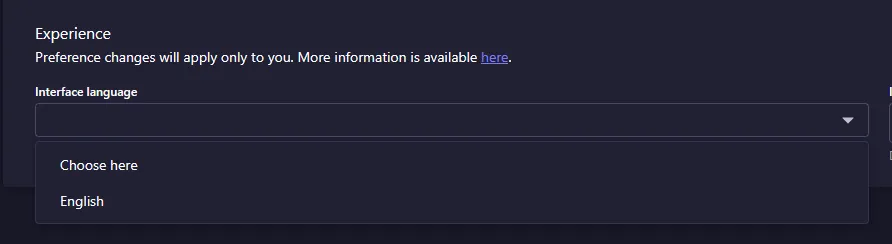
Now, we can go back to our user profile and the different languages will appear!