
Context
I have an ESP32 S2 Mini, and I wanted to simulate mouse movement.
Problem
When I tried to use the “Adafruit_TinyUSB” library, I got an error like this:
undefined reference to `__atomic_test_and_set'/!\ Before starting, some useful information:
- If your computer doesn’t detect the ESP32 S2 when you plug it in, just leave it plugged in, hold down the “0” button, then press the “RST” button.
Solution
From what I understand, it’s a function that came with an Adafruit_TinyUSB update and it isn’t always compatible with ESP32 S2 boards. To fix the problem, I disabled it.
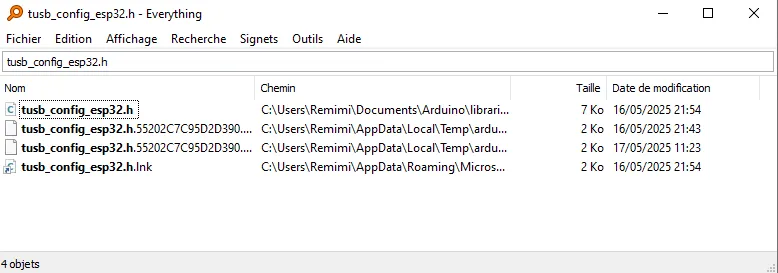
You first need to find the “tusb_config_esp32.h” file .
For me, it’s here:
C:\Users\Remimi\Documents\Arduino\libraries\Adafruit_TinyUSB_Library\src\arduino\ports\esp32If you have trouble finding it, I recommend using “Everything” , a tool that lets you find all sorts of things on your computer. Link to the website.
Then, you need to edit the file. Look for the line with “ #define CFG_TUH_ENABLED “ .
Replace the “1” with “0” to disable the function. Save the change and you’re good.