
Context
I wanted to play World Of Tanks on my Windows 10 computer.
So I installed the game and created an account, nothing unusual.
Problem
Then came the time to launch the game, and it got stuck on an infinite loading screen. Looking at the famous task manager, I noticed it was using 100% of my RAM, which is clearly not normal since I have 64 GB…
Since it’s possible that too much RAM could potentially cause problems, I removed 32 GB and had the same problem.
I installed the game again, no luck.
Solution
I found a solution that worked for me in a YouTube video. I’ve put the video right below.
You just need to disable IPv6 on the computer. Why? I don’t know. ¯\_(ツ)_/¯
A few notes before following the steps
To keep it very simple, an IP address is a bit like a name that computers use to communicate with each other.
The IP addresses everyone knows are IPv4, like this for example: 192.168.0.254
The problem is that there are so many devices that if we only keep using IPv4, they won’t all have a name of their own.
IPv6 comes in and looks like this for example: 50b2:6400:0000:0000:6c3a:b17d:0000:10a9
Yes, it’s not the same order of magnitude… All that to give a potential idea of the source of the problem? It’s still weird since my little brother didn’t have this issue, but let’s move on.
According to a quick Google search, disabling IPv6 can have some impact on Windows, a slight delay at startup if I understand correctly. I’ll let you do your own research but know that I don’t see any difference on my PC. In any case, it’s always possible to re-enable it in the worst case.
Link: https://learn-microsoft-com.translate.goog/en-us/troubleshoot/windows-server/networking/configure-ipv6-in-windows?_x_tr_sl=en&_x_tr_tl=fr&_x_tr_hl=fr&_x_tr_pto=rq
The steps
Go to the Control Panel:
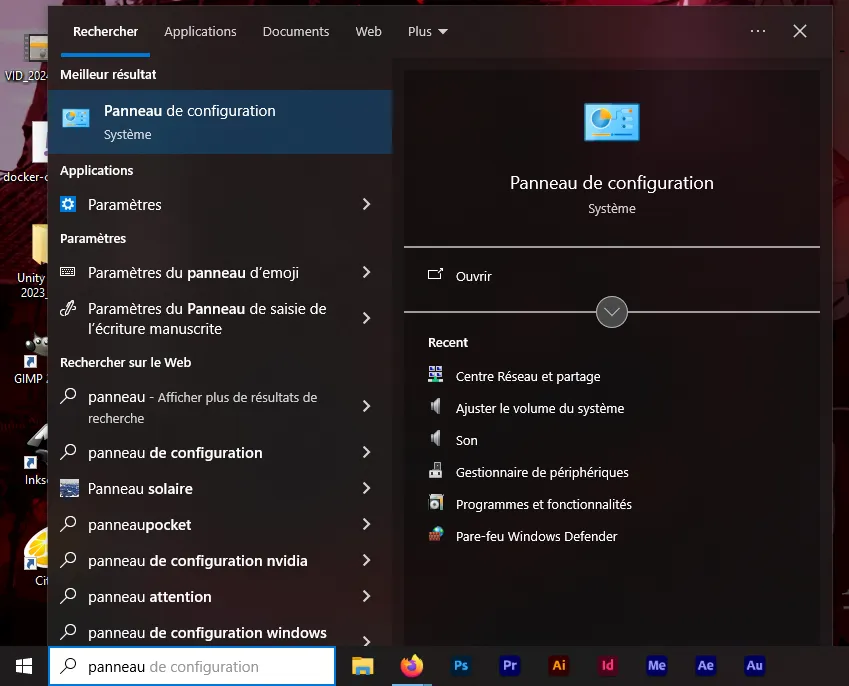
Go to “Network and Internet”:

Go to “Network and Sharing Center”:

Go to “Change adapter settings”:
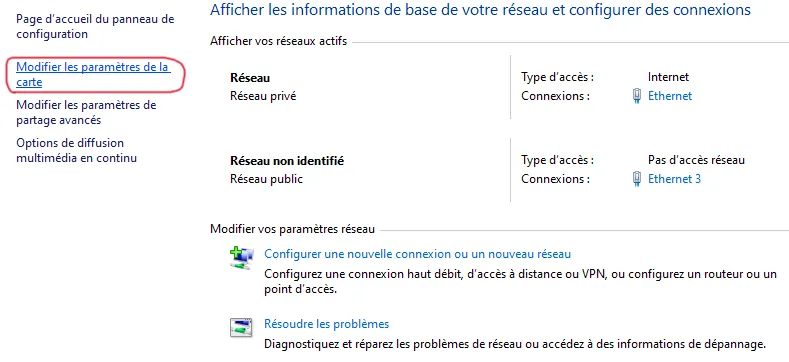
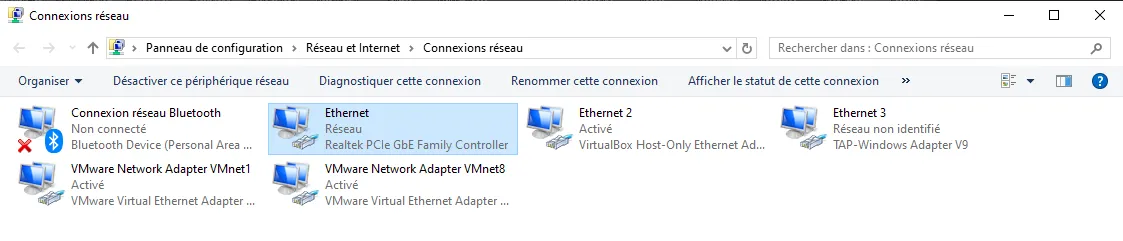
Double-click the connection you’re currently using, personally it’s “Ethernet” since I’m on a cable:
(I have quite a lot of things on my PC, you won’t have as many choices, it will be simpler)
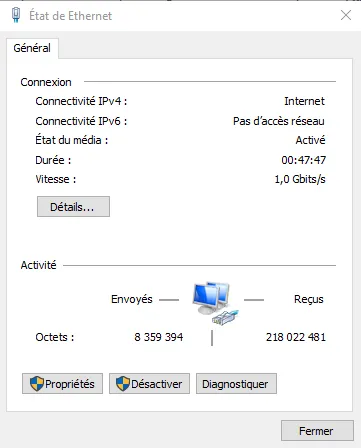
Go to “Properties”:
Disable IPv6 and close.
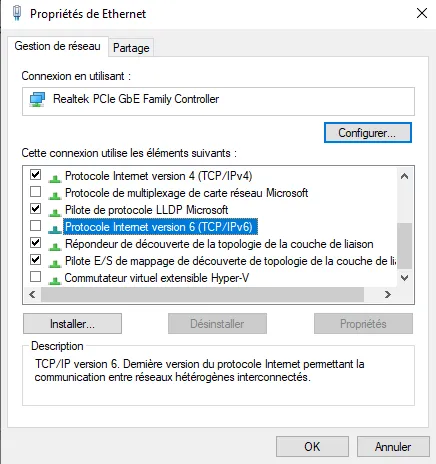
You can now launch the game without any problem.